

Canvas | Keyframeless
Draw and animate inside Final Cut Pro.
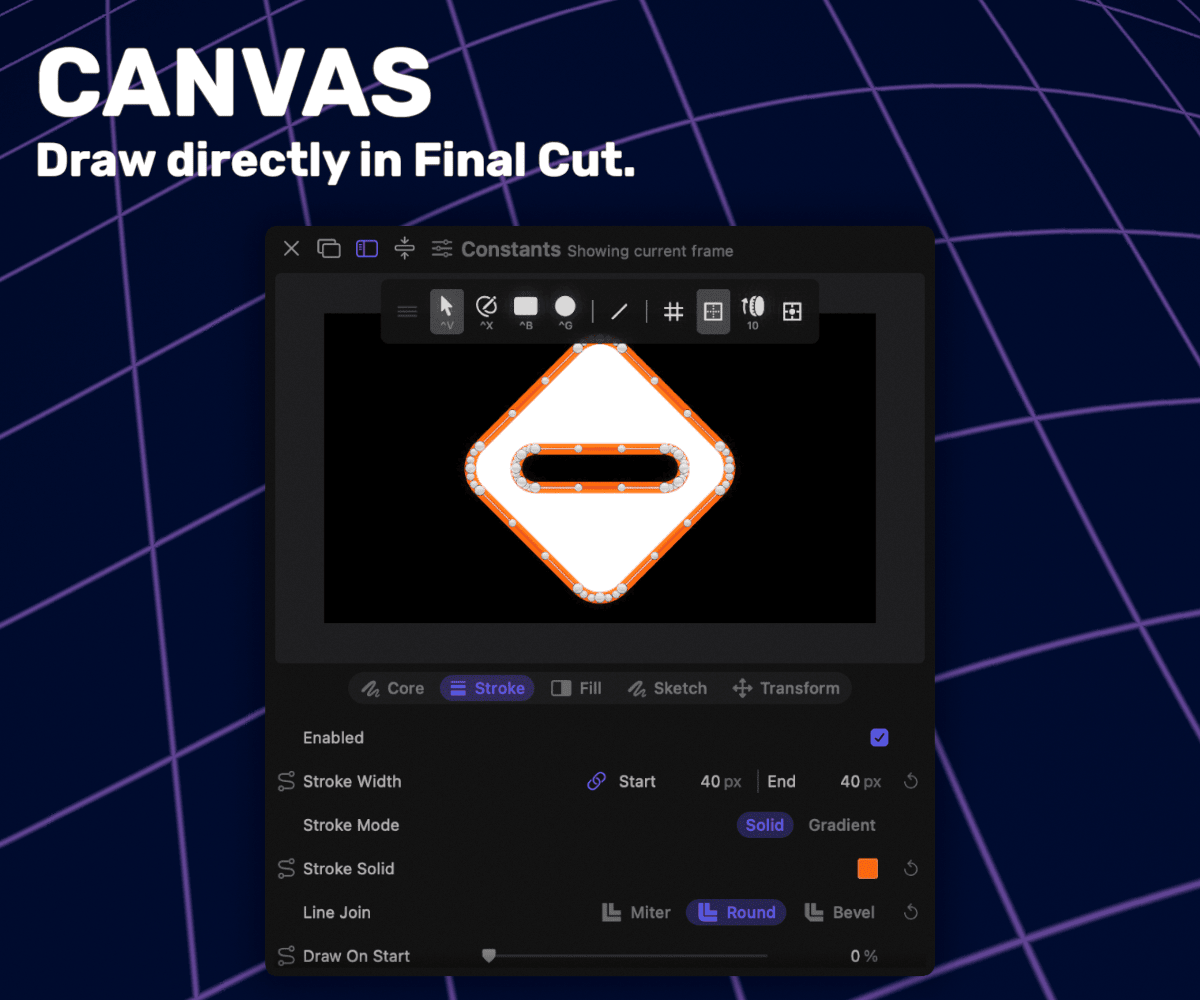
Canvas is a layer-based drawing tool that lives on your clip. Stack up shapes, images, and SVGs, and animate every layer.
Draw with a real pen tool, or drag out rectangles and ellipses. Round any corner by dragging a ring on the shape, and edit points and bezier handles directly on the canvas.
Drop images and SVGs onto the layer list to bring them in. Trace any image or shape down to an editable line with centerline tracing, then draw it back on however you want.
Stroke with tapered width, arrowheads, dashes, and marching ants, and reveal the line over time as if it's being drawn. Fill them with color, gradients, or hatching giving the whole layer a hand-drawn look.
Combine shapes with union, subtract, intersect, and exclude, with a live preview before you commit.
Every layer moves, scales, rotates, and fades on its own. Position follows a curved path you shape on the canvas, groups tilt in real 3D, and all of it runs on the same timing engine as the rest of Keyframeless.
Describe an animation in plain words and the built-in assistant builds it for you, across one layer or many.
Requirements: macOS 15+, Apple Silicon recommended.